One grammar.
Both platforms.
Mac imports the TypeScript document engine. iPhone runs its bundled version through JavaScriptCore. Parsing and document rewrites share the same rules.
Read the document engine ↗A notebook, close at hand
A little structure for the things you want to do. A little room for the things you want to say.
Made for Mac & iPhone · Yours in plain text
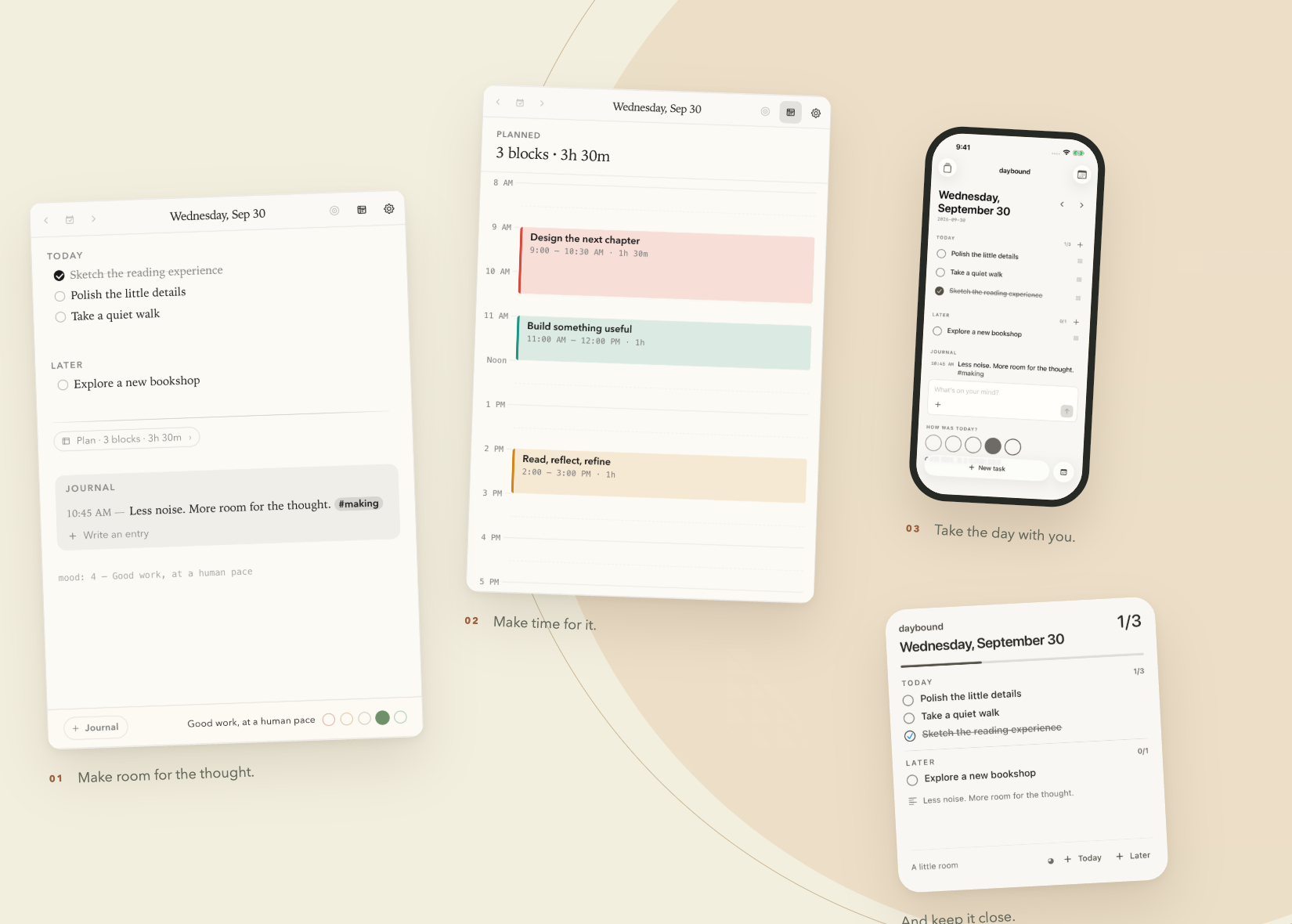
Less managing your life.
More living your day.
01 / At your desk
Open the menubar. Write the thought. Return to your day. Tasks, time blocks, and your journal share one quietly editable page.
 Build something useful
Native badge renderer · Sample countdown · Keeps ticking with the panel closed.
Put the real editor through its paces ↗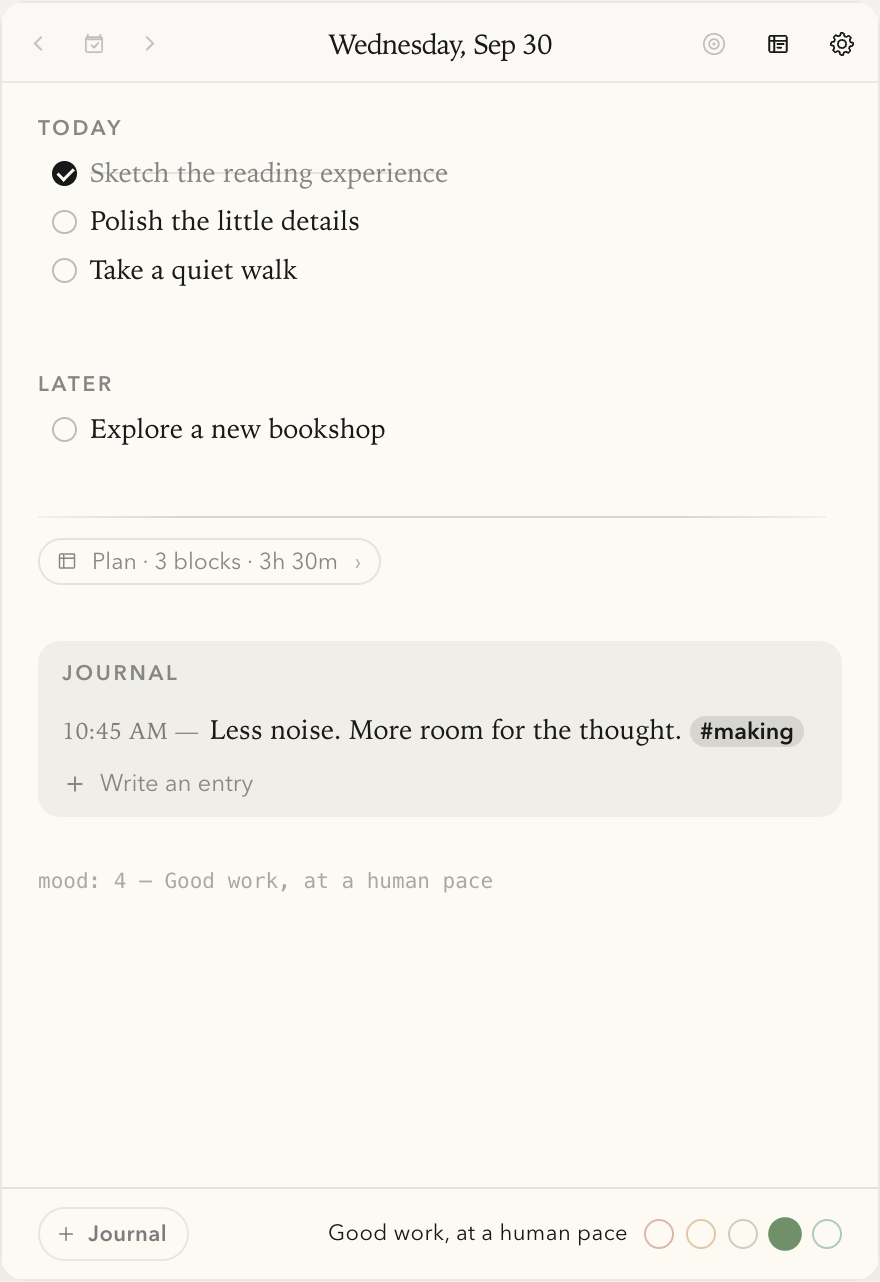
Actual app components. Fictional notes. The recording uses an isolated browser preview of the Mac UI.
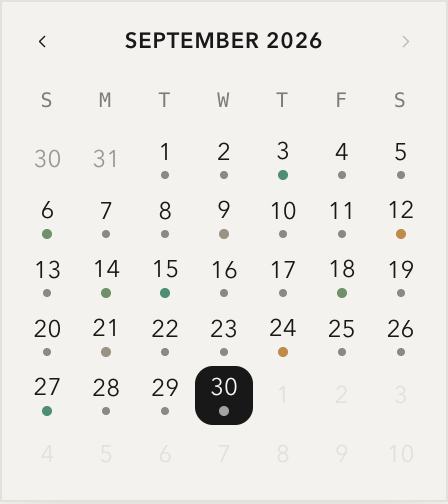
A month of little moments
Pick a date and return to that day’s note. A dot marks a page you’ve written; its color holds a little memory of your mood.
Today has room for the next thought. Yesterday stays exactly where you left it.
Pick a date to open its page ↗Actual calendar component, with fictional notes and mood data.
Try checking a task or writing a line. Your demo edits stay here until you reload.
02 / Away from your desk
A thought on the train. A task before coffee. Your iPhone opens the same daily files, with a native interface made for the small moments.
And a Home Screen widget keeps Today, Later, and a glimpse of your journal within reach.
Explore the iPhone companion ↗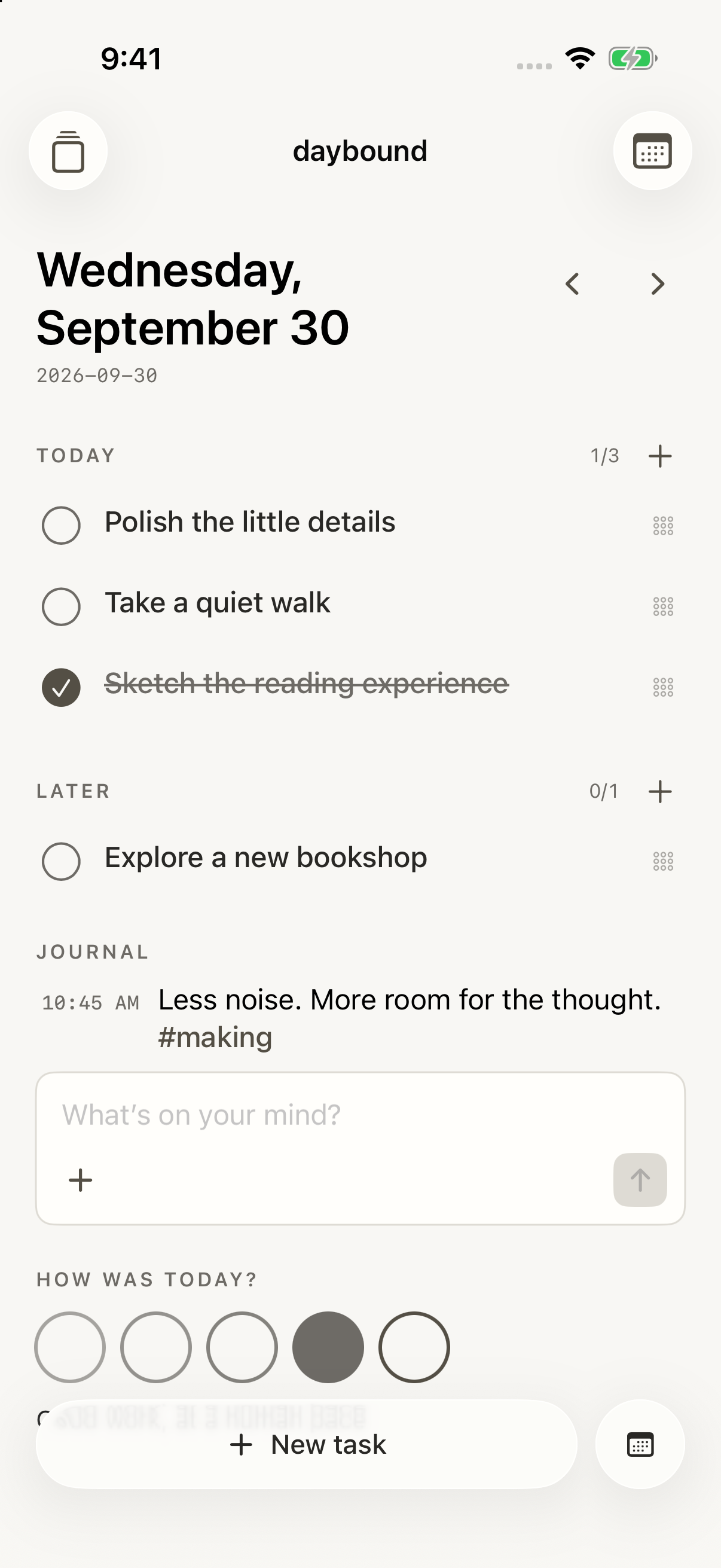
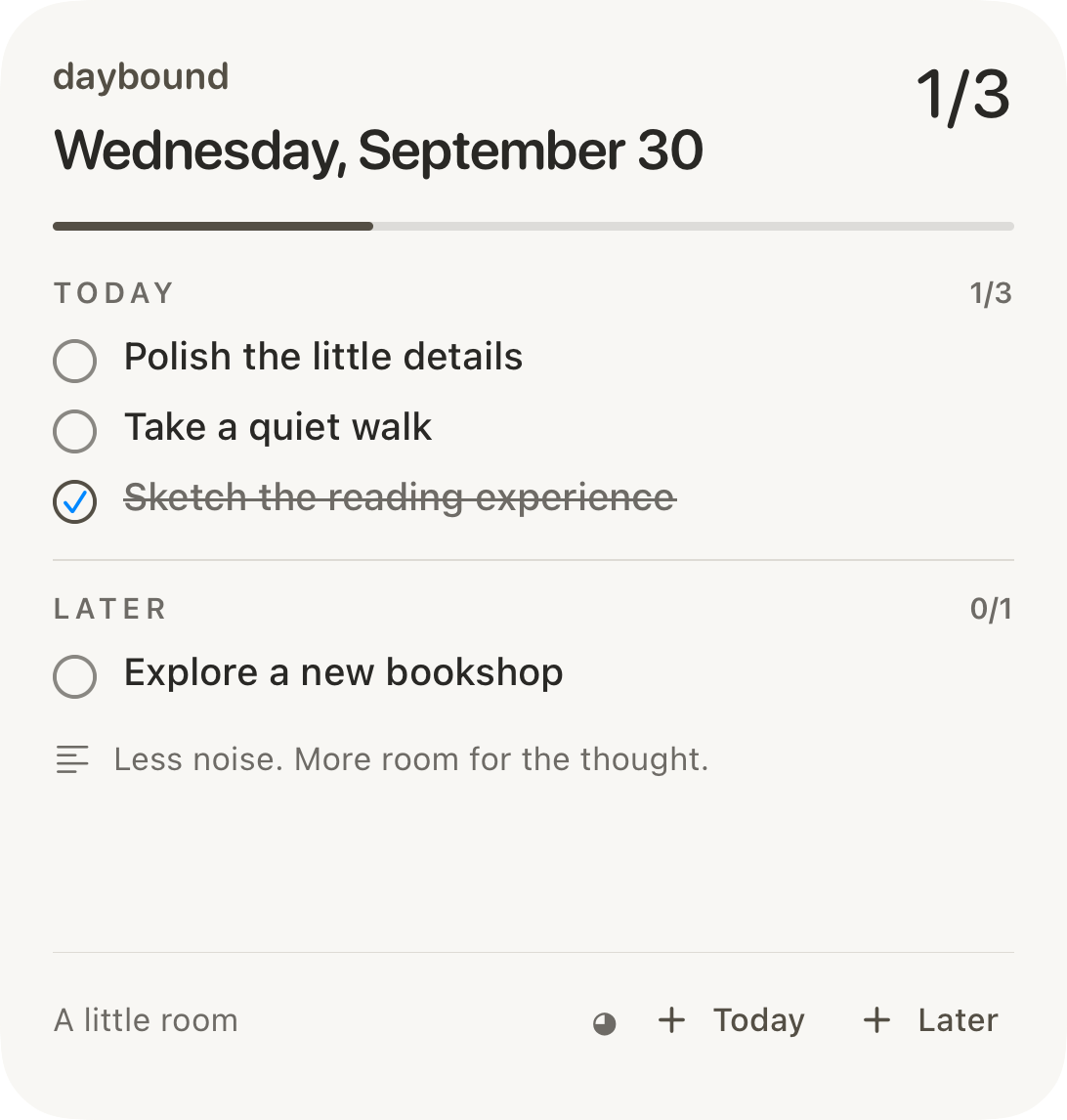
The widget uses a snapshot refreshed by the iPhone app. Mac edits appear after the phone reloads the file.
03 / Always yours
Close the app and the day is still there. Open it in another editor. Put it in your own folder. Keep it for years.
TODAY
☑ Sketch the first idea
○ Make the small version work
PLAN
9:00 – 10:30 Design the next chapter
JOURNAL
10:45 AM — A little less noise. A little more focus. #making
mood: 4 — A good start## Today
- [x] Sketch the first idea
- [ ] Make the small version work
## Plan
9:00 – 10:30 Design the next chapter
## Journal
10:45 AM — A little less noise. A little more focus. #making
mood: 4 — A good startAn illustration of the format, not another app screen. One document behind every view.
No separate database. Just daily Markdown files and a goals page in folders you choose.
Your folder, your sync. Choose an iCloud Drive folder on both devices. Permissions are granted separately; iCloud controls delivery timing.
04 / Your kind of quiet
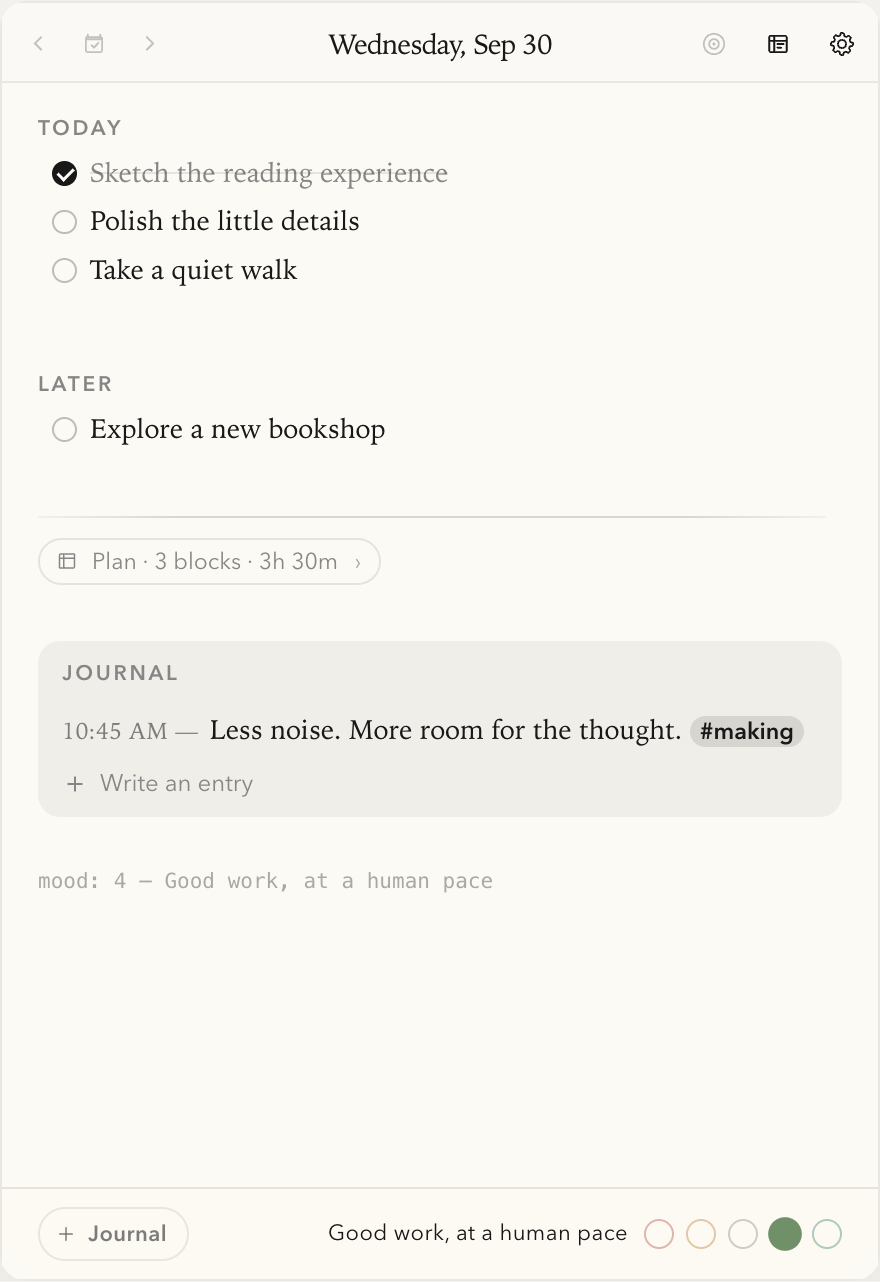
Five themes, each with light and dark appearances. Every calendar, checkbox, and journal card takes its cues from the same palette.
Warm paper. Iowan Old Style. Room to breathe.
05 / A little hands-on
This demo runs the real Mac editor and Day view. Check a task, write a line, or move a block. It uses fictional data held in memory; refreshing resets it.
06 / Thoughtful underneath, too
Three surfaces, one editable text format. The interesting work is keeping them in agreement.
Mac imports the TypeScript document engine. iPhone runs its bundled version through JavaScriptCore. Parsing and document rewrites share the same rules.
Read the document engine ↗A Rust thread keeps the menubar countdown ticking while the panel is hidden. Its colored badge is drawn as a crisp retina bitmap.
Follow the native readout ↗SwiftUI for the phone. WidgetKit for the glance. The widget reads a derived snapshot; the Markdown folder remains the source of truth.
Explore the native companion ↗A personal project by Dhiraj
The source opens soon. For now, try the notebook above.
Run it locally. Choose a notebook folder. Start with one small thing.
git clone https://github.com/dhirajcdry/daybound.git
cd daybound
npm ci
npm run tauri dev
Mac requires macOS, Node/npm, Rust, and Xcode Command Line Tools. iPhone build guide ↗
Explore the source ↗Built on Daily by hellorashid. daybound is Dhiraj’s independent evolution of that menubar notebook, with planning, journaling, shared document rules, and native iPhone and widget experiences.
Under active development. No daybound release pipeline or App Store distribution is configured. Upstream licensing and the inherited updater need resolving before distribution. Publication status ↗